← The DOM and the browser console

The DOM and the browser console: recap

For after the lessons: one card per lesson, to check what you remember. Answer each question in your head or on paper first, then check it. Nothing here is marked.

Change the page

1. Find and change

Try firstWhat does querySelector give you if nothing matches?

Check your answer

null, which has no textContent: that is why the next line fails.

  1. document.querySelector("#title") finds the element with id title (. for a class).
  2. title.textContent = "…" replaces its words; title.style.color = "…" changes its colour.
  3. A script runs when the browser reaches it, so it goes below the elements it uses.
The page this code makes
What this code makes
JavaScript finds an element by its id, then changes it · Sound on for the voiceover
Open the lesson →

2. Click events

Try firstWhat is the difference between start and start() in a listener?

Check your answer

start hands the function over to run on each click; start() runs it once, right now.

  1. addEventListener("click", start) says: when this button is clicked, run start.
  2. start has no brackets because we hand over the function, not run it.
  3. The handler changes the page each time the event happens.
The page this code makes
What this code makes
A click runs a function you hand to addEventListener · Sound on for the voiceover
Open the lesson →

3. Classes and themes

Try firstWhy does classList.toggle("dark") have no dot?

Check your answer

classList takes the class name, not a CSS selector: the dot is only for CSS rules and querySelector.

  1. A class in the CSS (.dark) says how something looks.
  2. classList.toggle("dark") adds that class if it is missing and removes it if it is there.
  3. In classList the name has no dot.
The page this code makes
What this code makes
JavaScript flips a class, and CSS changes the look · Sound on for the voiceover
Open the lesson →

Building blocks

4. Inputs

Try firstWhy is "4" + "5" equal to "45"?

Check your answer

The value of an input is text, and + joins text. Number() turns it into a number first.

  1. box.value is the text typed in the box right now.
  2. The "input" event runs your function on every keystroke.
  3. A value is always text: use Number(box.value) for sums.
The page this code makes
What this code makes
.value is what the person typed, and it is always text · Sound on for the voiceover
Open the lesson →

5. Building a list

Try firstWhat is the difference between createElement and append?

Check your answer

createElement makes the element in memory; append puts it on the page, where people can see it.

  1. document.createElement("li") makes a new element, not yet on the page.
  2. li.textContent = … gives it words; list.append(li) puts it on the page.
  3. Changing an array does not change the page: the page changes when you make or remove elements.
The page this code makes
What this code makes
createElement makes an element, and append puts it on the page · Sound on for the voiceover
Open the lesson →

6. A page that keeps score

Try firstWhy is let clicks above the handler and not inside it?

Check your answer

Above, it is made once and keeps its value; inside, it would start over on every click.

  1. A variable made above the handler keeps its value between clicks.
  2. Change the variable first, then put it on the page with textContent.
  3. An if in the handler decides when something happens.
The page this code makes
What this code makes
A variable made above the handler keeps its value from click to click · Sound on for the voiceover
Open the lesson →

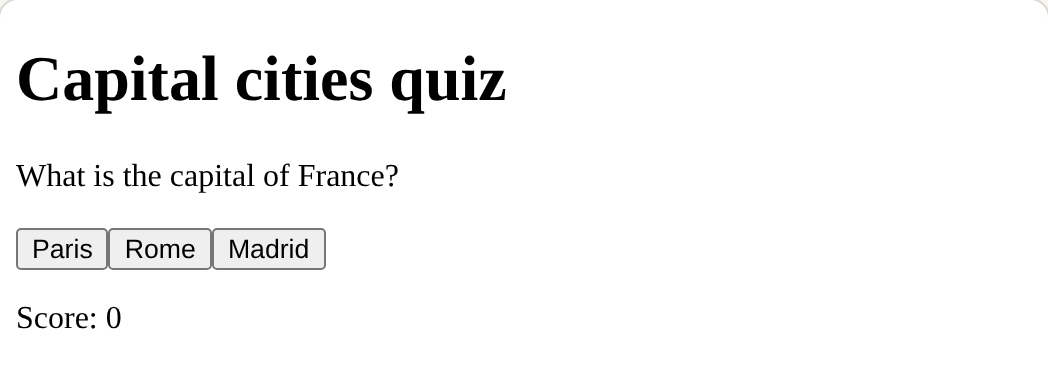
Final challenge: a quiz page

7. Final challenge: a quiz page

Try firstWhich two variables change as the quiz is played?

Check your answer

current, the number of the question on the screen, and score, how many were right.

  1. The questions are an array of objects: text, choices and answer.
  2. Buttons are made for each choice; a click calls check.
  3. current and score are the only memory; the page shows them.
The page this code makes
What this code makes
A quiz is a click, a check and some feedback · Sound on for the voiceover
Open the lesson →