← Starting out

Starting out: recap

For after the lessons: one card per lesson, to check what you remember. Answer each question in your head or on paper first, then check it. Nothing here is marked.

Numbers and switches

1. Letters are numbers

Try firstWhat numbers does the computer store for BAD?

Check your answer

66, 65, 68.

A computer can only store numbers, so every letter has its own number, called its code. Capital A is 65, B is 66, C is 67, and they go up in order. Small letters start at 97, and spaces (32) and digits have codes too.

A word is stored as a list of codes, one for each character, in order: CAT is 67, 65, 84.
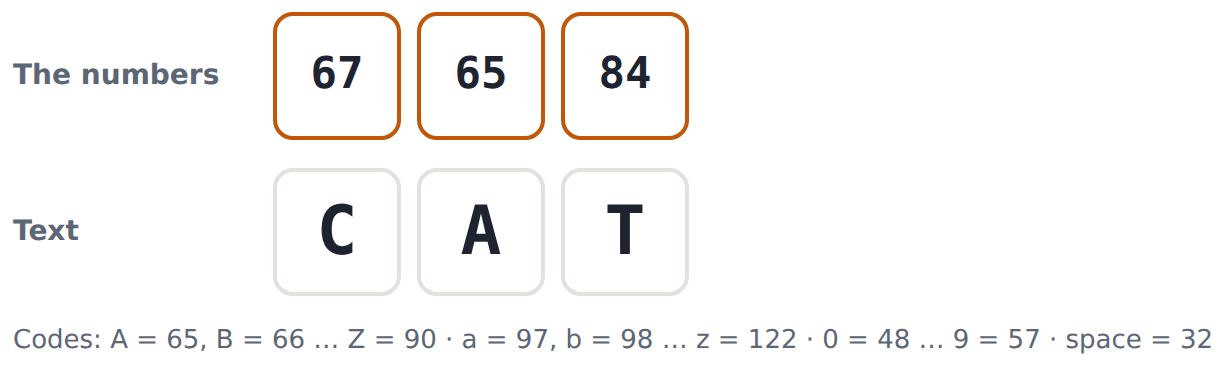
The word CAT stored as three numbers: C is 67, A is 65, T is 84.
Open the lesson →

2. Text or number?

Try firstA and B are 5 and 6. As numbers, what do they make together? As text?

Check your answer

11 (added); 56 (joined).

The same keys can make text or a number, and the computer does different things with each. Numbers can be added: 12 and 3 make 15. Text can only be joined: 12 and 3 make 123.

So programs store anything they'll do maths with as a number, and names, postcodes and phone numbers as text.

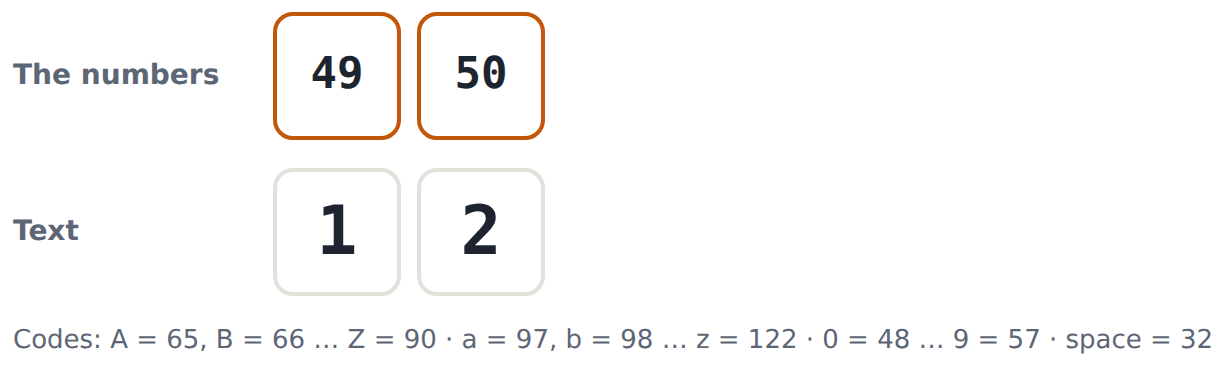
Typed as text, 12 is two characters: the 1 is stored as 49 and the 2 as 50.
Open the lesson →

3. On or off

Try firstWrite face down, face up, face up as 1s and 0s. How many patterns can those three switches make?

Check your answer

011; 8.

Inside a computer are tiny switches that can only be on or off. On is written 1 and off is 0.

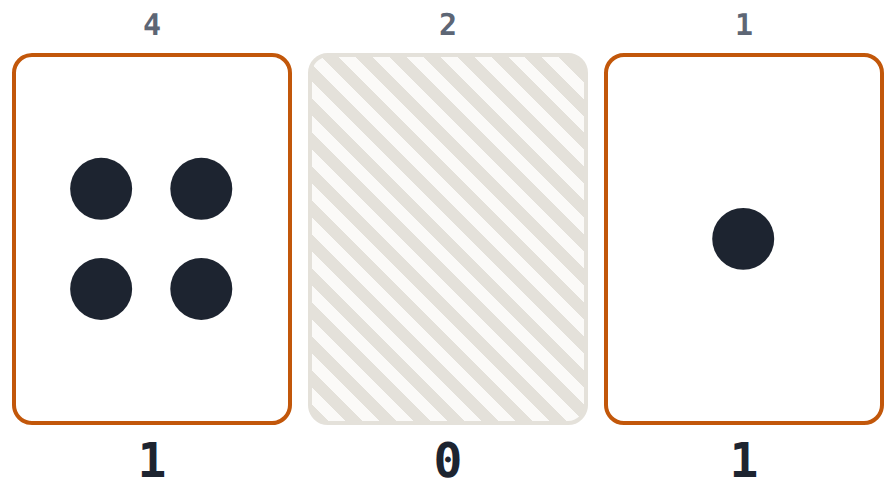
One switch makes 2 patterns, two make 4, three make 8. Every switch you add doubles the patterns, and all off counts too. Patterns of switches are how a computer stores numbers.

Three cards as switches: on, off, on, written 1 0 1. Three switches can make 8 different patterns.
Open the lesson →

4. Counting dots

Try firstWhich cards show 13? Write it as 1s and 0s on four cards.

Check your answer

8, 4 and 1: 1101.

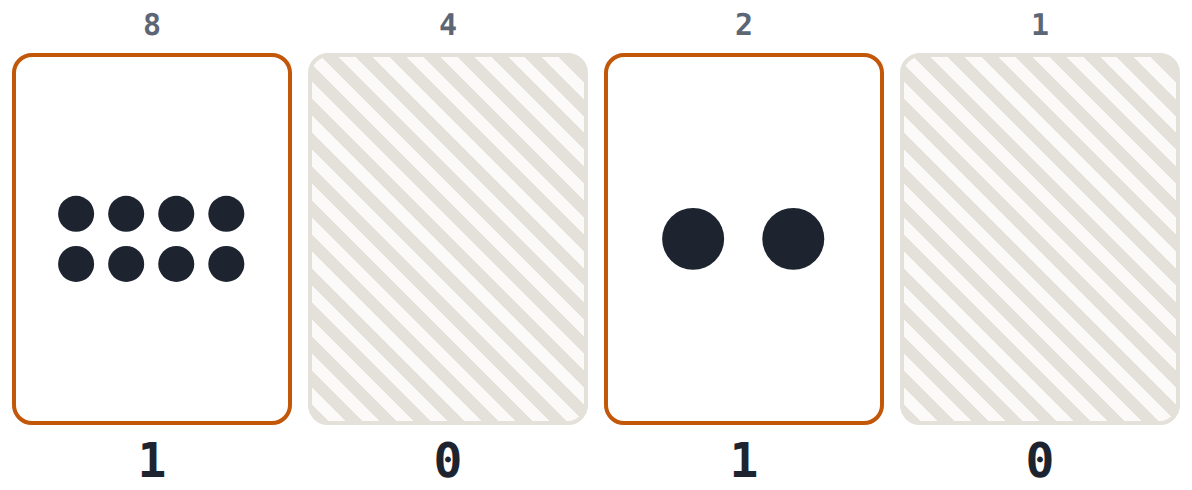
Dot cards turn switches into numbers. Each card has double the dots of the card on its right: 1, 2, 4, 8, and so on. Turn some face up and add their dots: 8 and 2 face up is 10.

Seven cards go up to 64, so they can make 65, the code for A. A letter is stored as a number, and the number is stored as switches.

Cards with 8, 4, 2 and 1 dots. The 8 and the 2 are face up: 8 + 2 = 10 dots, written 1010.
Open the lesson →

The parts inside

5. The parts inside

Try firstWhich part holds your score while you play, and which keeps it when you turn off?

Check your answer

Memory; storage.

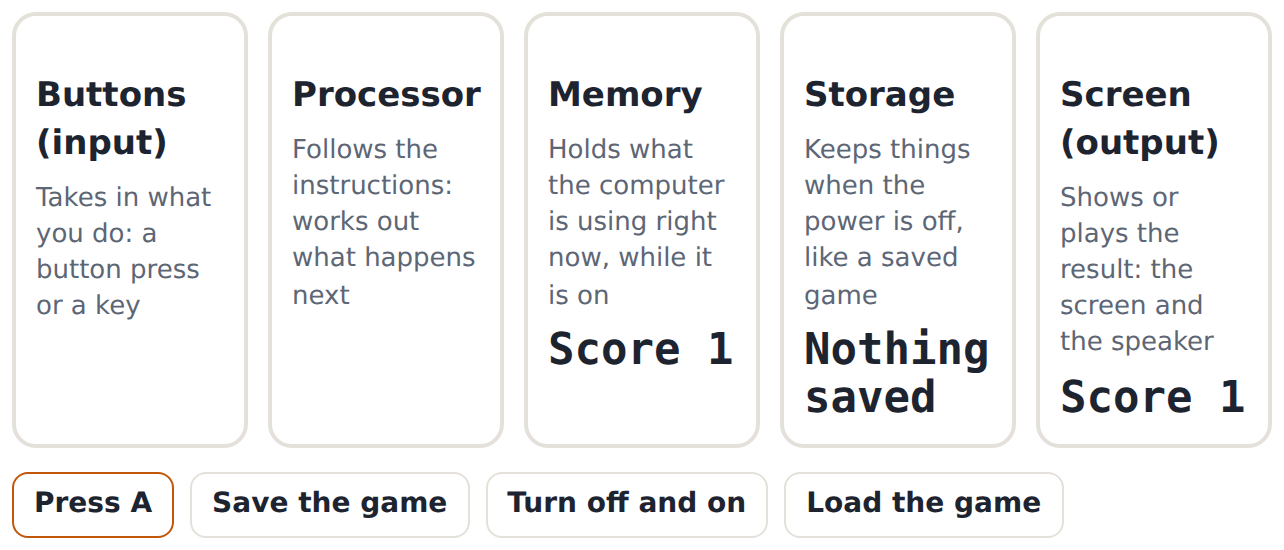
Every computer has five kinds of parts. Input takes in what you do. The processor works out what happens. Memory holds what's being used right now. Storage keeps things when the power is off. Output shows or plays the result.

Memory and storage both remember, but only storage keeps things when you turn the computer off.

A games console as five parts: buttons (input), processor, memory (the score now), storage (saved games) and screen (output).
Memory and storage · Sound on for the voiceover
Open the lesson →

6. Working together

Try firstThe game runs and you can save, but the screen stays blank. Which part is missing? Is the score lost?

Check your answer

The screen (output); no, it's in memory.

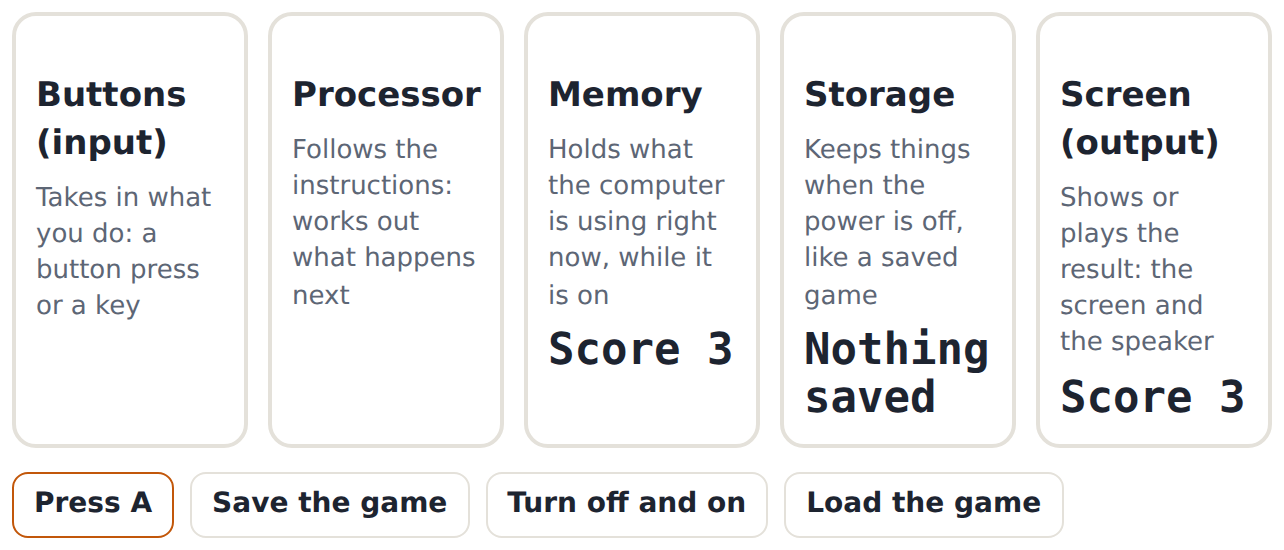
The parts take turns. Press A: the buttons pass the press to the processor, the processor adds one to the score in memory, then sends it to the screen.

Every job needs the processor, and most need memory. Take a part out and only the jobs that need it stop: with no screen, the score still goes up, you just can't see it.

The five parts of a games console. A press goes buttons, processor, memory, processor, screen.
Taking turns · Sound on for the voiceover
Open the lesson →

Joining up

7. Joining computers

Try firstName two ways a laptop can join a network, and one thing that slows Wi-Fi down.

Check your answer

A cable, Wi-Fi (or mobile data); distance from the router, or walls.

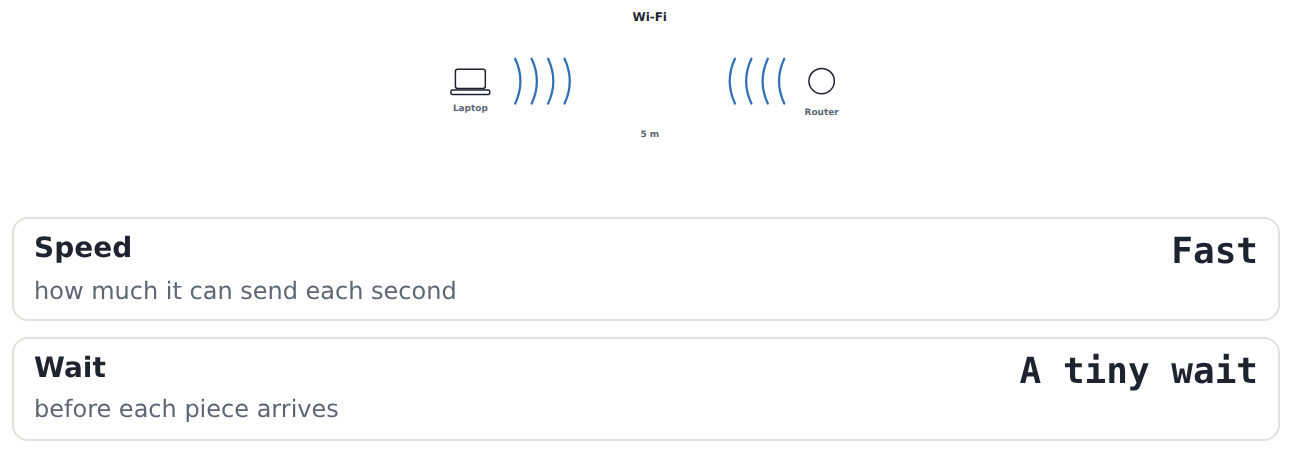
A network is computers joined so they can send each other data. They can be joined by a cable, by Wi-Fi (radio waves to a router) or by mobile data (radio waves to a phone tower).

Cables are fastest and most reliable. Wi-Fi lets you move, but it slows down with distance and walls. The internet is lots of networks joined together.

A laptop joined to a router by Wi-Fi: fast, a tiny wait, a few pieces lost. A cable would be faster still.
Open the lesson →

8. Messages in pieces

Try firstA message arrives as pieces 3, 1, 2. How does the computer read it correctly?

Check your answer

It puts the pieces in order by their numbers: 1, 2, 3.

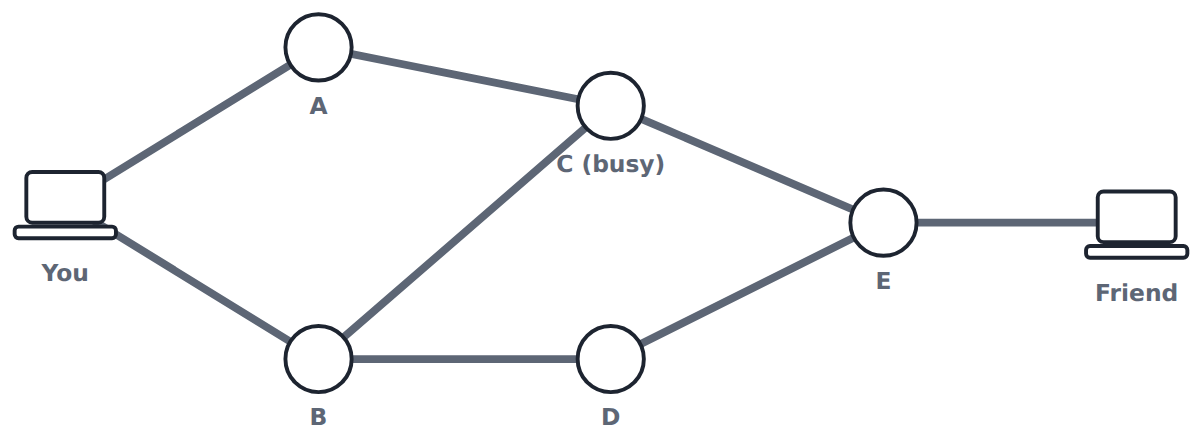
A message doesn't travel in one piece. It's cut into small numbered pieces, and each one travels through several devices called routers.

Pieces can take different paths and arrive in a different order, so the computer at the end uses the numbers to put them back together. If a link breaks, the pieces go another way.

SEE YOU AT LUNCH cut into numbered pieces of four characters, about to travel through the routers to the computer at the end.
Open the lesson →