← Security and privacy

Security and privacy: recap

For after the lessons: one card per lesson, to check what you remember. Answer each question in your head or on paper first, then check it. Nothing here is marked.

How systems are kept safe

1. What the operating system does

Try firstWhy doesn't a video app need updating when you buy a new webcam? Give one way the OS protects you.

Check your answer

It asks the OS, which uses the new webcam's driver. It decides which apps may use the camera, microphone or files.

Apps never talk to hardware directly. They ask the operating system (OS), and the OS uses a driver, a small program for each device, to do it. So one app works with any webcam, drive or network card, as long as the OS has its driver.

Because every request goes through it, the OS is also the gatekeeper: it decides which apps may use the camera, microphone, files or network.
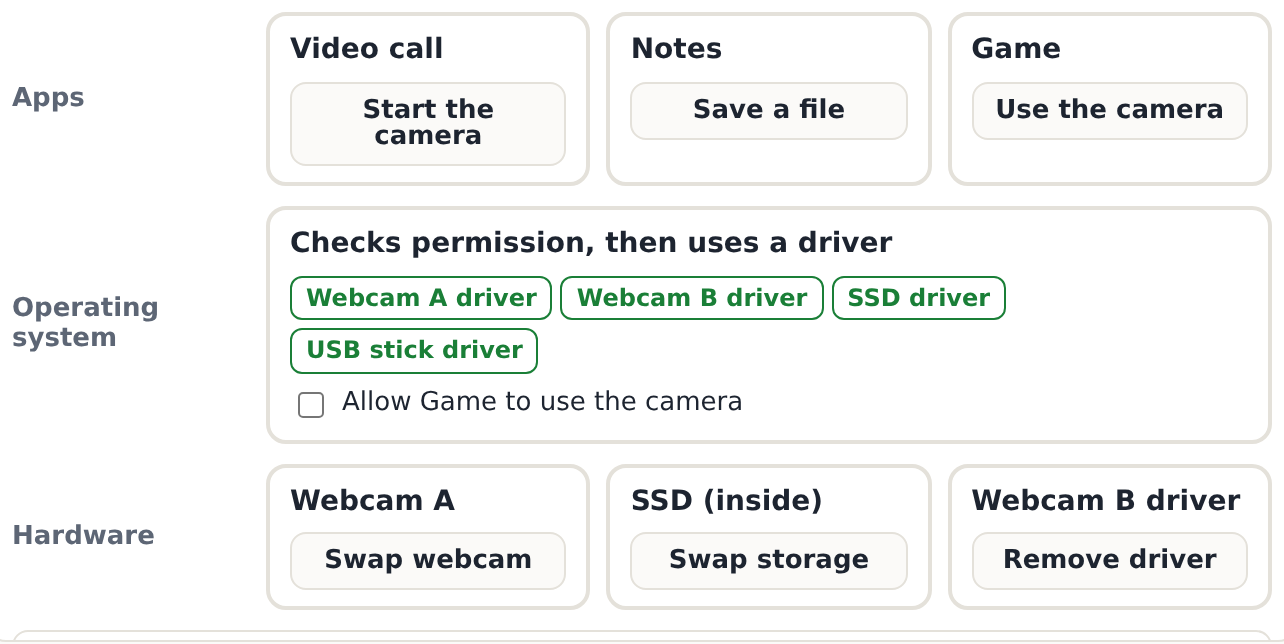
Three layers: apps ask the operating system, the operating system uses a driver for each piece of hardware.
Apps, the OS and drivers · Sound on for the voiceover
Open the lesson →

2. Names and addresses

Try firstWhat does DNS do? Why is schoo1.edu.au not the school?

Check your answer

Turns a name into an IP address. It is a different name, so DNS gives a different address: someone else's computer.

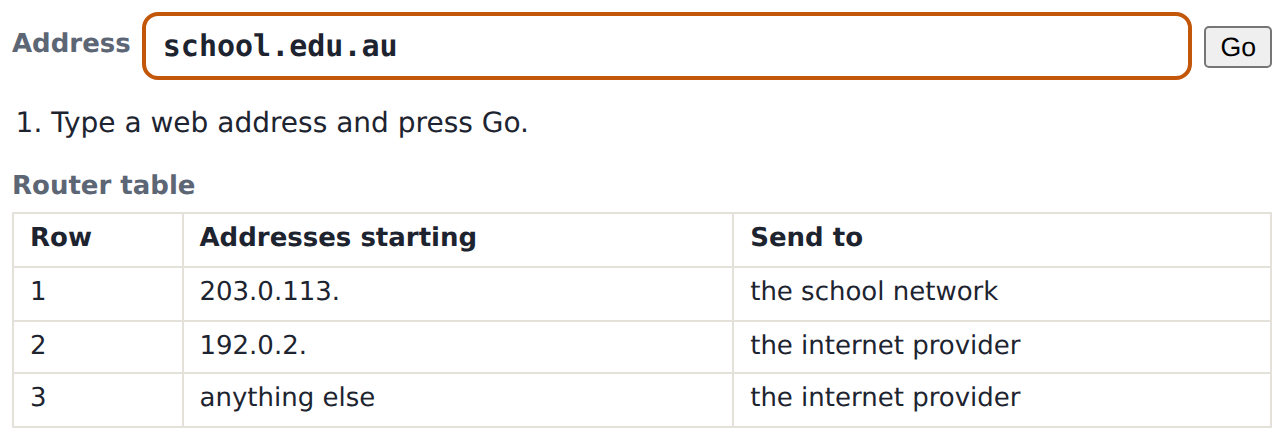
Devices on the internet find each other by IP addresses (such as 203.0.113.10), and every packet carries the address it is going to. DNS looks up the address for a name like school.edu.au. Routers read the start of each packet's address and use their tables to send it the right way.

A name that only looks right (schoo1.edu.au) is a different name with a different address: someone else's computer. Check names character by character before typing a password.

school.edu.au: DNS answers 203.0.113.10, the packet carries that address, and row 1 of the router's table sends it to the school network.
From a name to an address · Sound on for the voiceover
Open the lesson →

3. Who are you, and what may you do?

Try firstGive one example of authentication and one of authorisation. Why use multi-factor sign-in?

Check your answer

Authentication: a password or fingerprint. Authorisation: students may only read marks. MFA means a stolen password alone isn't enough.

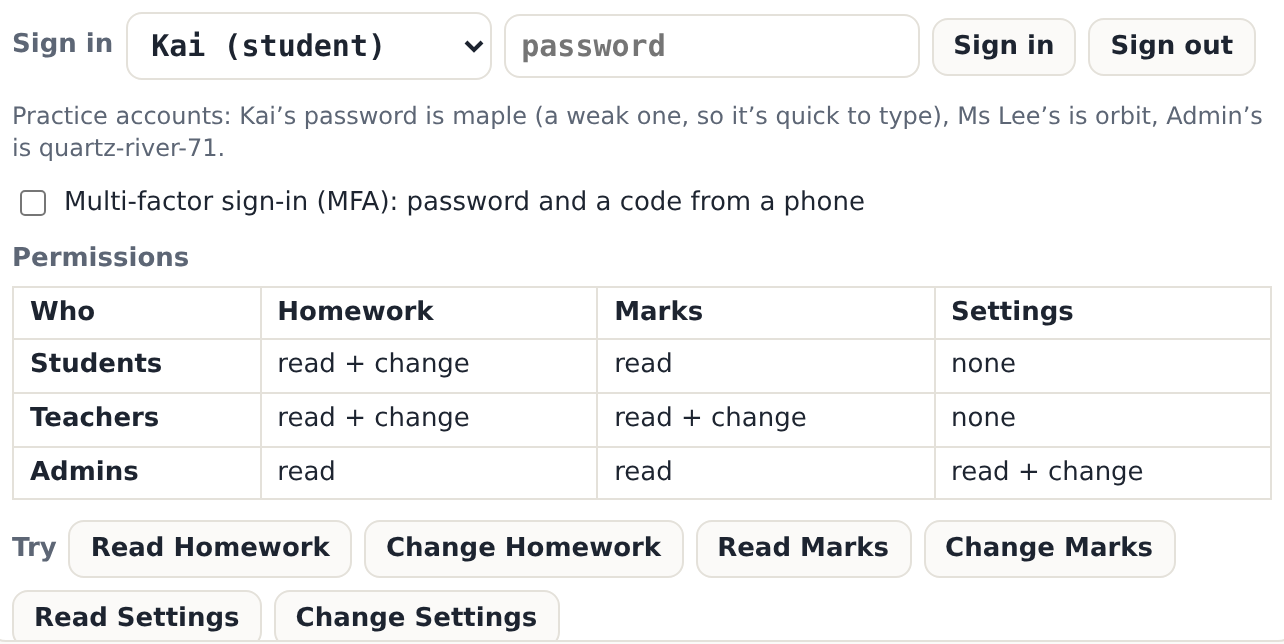
Access control has two parts. Authentication proves who you are: a password, and with multi-factor sign-in also a code from your phone, so a stolen password alone isn't enough. Authorisation decides what you may do, from permissions for your role.

Signing in doesn't mean you can do anything. Give each role only what its job needs (least privilege), so a misused or stolen account can do the least harm.

Sign in proves who you are; the permissions table decides what each role may read or change.
Sign in, then permissions · Sound on for the voiceover
Open the lesson →

4. Hashes and salt

Try firstWhy can't attackers read passwords from a list of hashes, and what can they still do? What does a salt stop?

Check your answer

A hash can't be reversed, but common passwords can be guessed: hash the guess, compare. A salt makes the same password hash differently for each person, so one guess no longer cracks everyone who chose it.

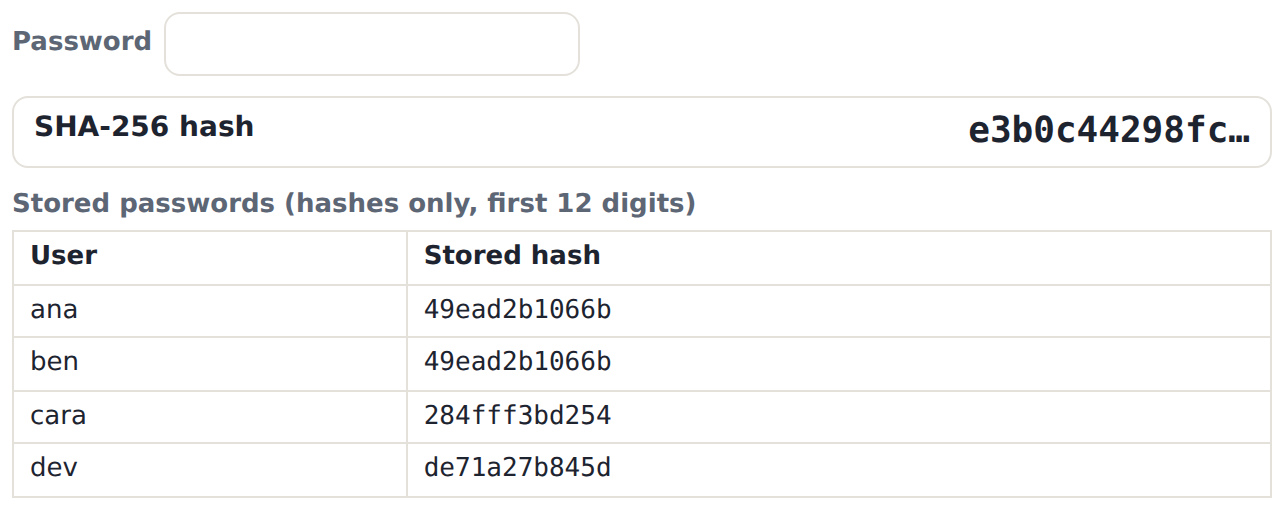
Good sites store a hash of your password: a one-way scramble, always the same for the same password. At sign-in they hash what you type and compare. A hash can't be turned back, so a stolen list doesn't reveal passwords, though common passwords can still be guessed, which is why long passphrases matter. A salt makes the same password hash differently for each person.

A hash is not encryption: encryption can be undone with a key, a hash can't be undone at all. Hash what only needs checking; encrypt what someone has to read again.

A stolen list with no salt: maple gives the same hash for Ana and Ben, so one guess cracks both.
Stored as a hash · Sound on for the voiceover
Open the lesson →

5. Public and private keys

Try firstWhich key locks a message for Alice, and why can it be public?

Check your answer

Alice's public key. It can only lock; only her private key, which never leaves her, opens it.

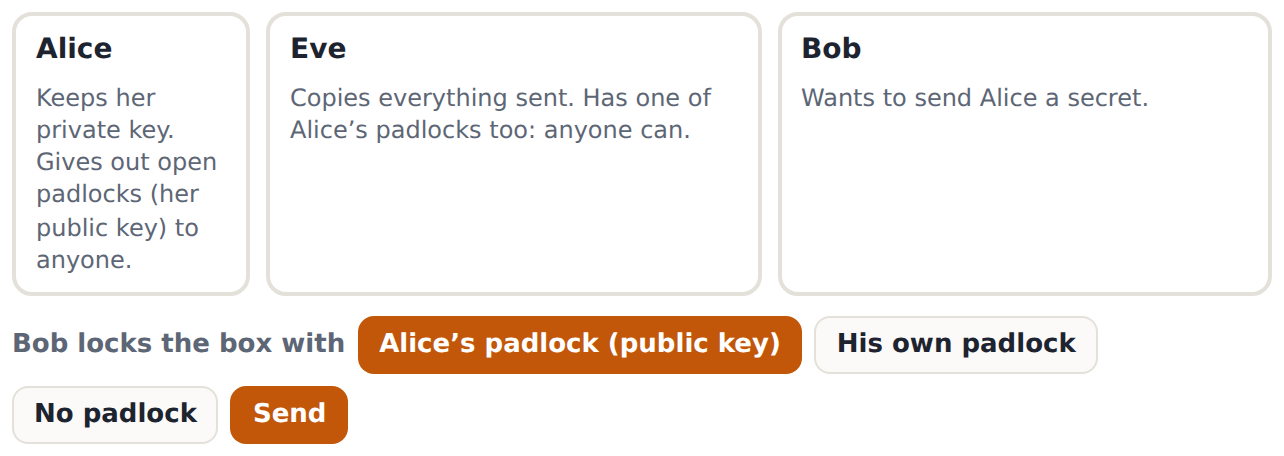
Public key encryption is like an open padlock: anyone can lock a message with someone's public key, but only their private key opens it. So two strangers can share a secret in public: the key that opens never travels.

HTTPS uses this to agree a secret key with a website, then encrypts the rest with that shared key. A hash is different: it can't be undone at all, so it's for what only needs checking, like stored passwords.

Public key: Bob locks the box with Alice's open padlock. Eve has a padlock too, but only Alice's private key opens it.
Open the lesson →

Capture the flag

6. Capture the flag: secure the portal

Try firstName two weaknesses you found in the portal and the fix for each.

Check your answer

Any two: phishing link (check the exact address), weak password (passphrase, salted hashes, MFA), students could change marks (least privilege), unlocked message (receiver's public key, HTTPS).

A capture the flag tests a system you are allowed to test. Each weakness found gives a flag; each one leads to a fix: check the exact address before signing in, use long passphrases (stored as salted hashes), give each role only what it needs (least privilege), turn on multi-factor sign-in, and lock messages with the receiver's public key (HTTPS).

Security teams test their own systems this way so they can fix the holes before attackers find them.

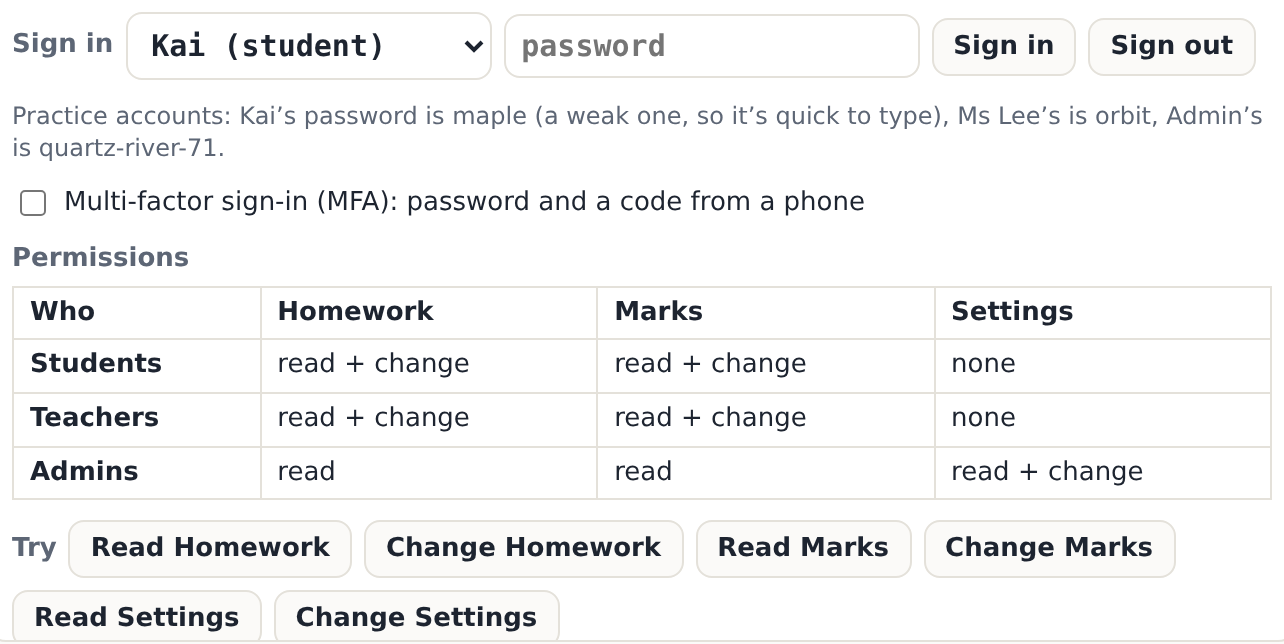
The portal's permissions: one cell gives a role more than its job needs. Finding it is one of the flags.
Testing the portal · Sound on for the voiceover
Open the lesson →