← Networks

Networks: recap

For after the lessons: one card per lesson, to check what you remember. Answer each question in your head or on paper first, then check it. Nothing here is marked.

Moving data

1. Wired or wireless

Try firstName two properties that differ between wired and wireless links. Which link would you choose for online exams, and why?

Check your answer

Any two of bandwidth, latency, reliability. A cable: it is the most reliable, so the exam is least likely to drop out.

A link between computers can be wired (cable, fibre) or wireless (Wi-Fi, mobile). Three properties describe it: bandwidth (how much data each second), latency (the delay for each packet) and reliability (how many packets get lost). Cables usually win on all three; Wi-Fi gets worse with distance and walls; mobile data has a longer delay.

The right link depends on the job: games need low latency, streaming needs bandwidth, and everything needs reliability.
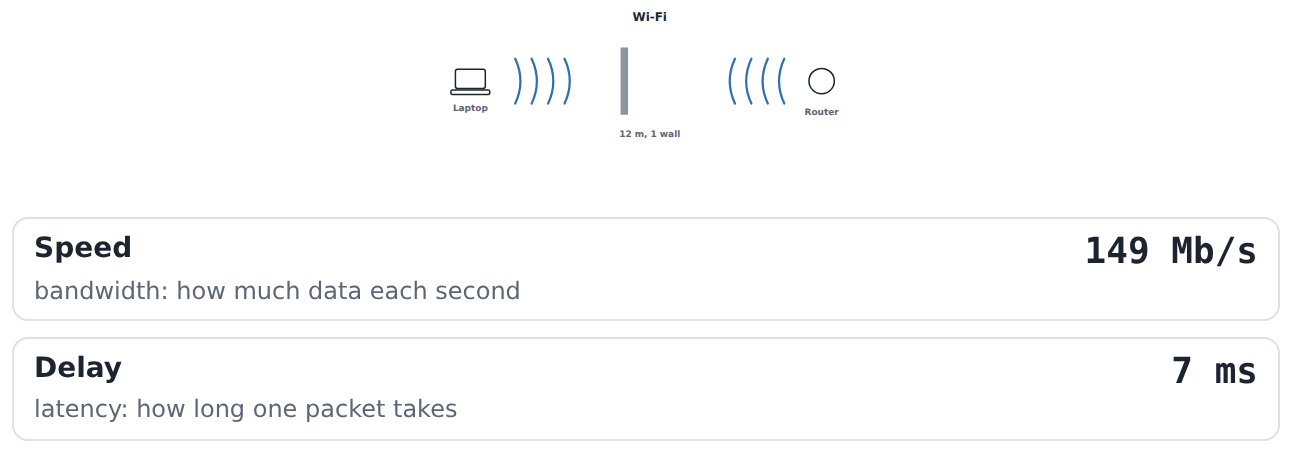
Wi-Fi 12 m away through one wall: less bandwidth, more delay and more packets lost than a cable, so the same file takes longer.
Cable, then Wi-Fi · Sound on for the voiceover
Open the lesson →

2. Packets

Try firstA message is split into 5 packets and packet 3 is lost. What does TCP do, and how does the message end up in order?

Check your answer

The receiver never confirms packet 3, so the sender sends it again. The receiver puts the packets in order by their numbers.

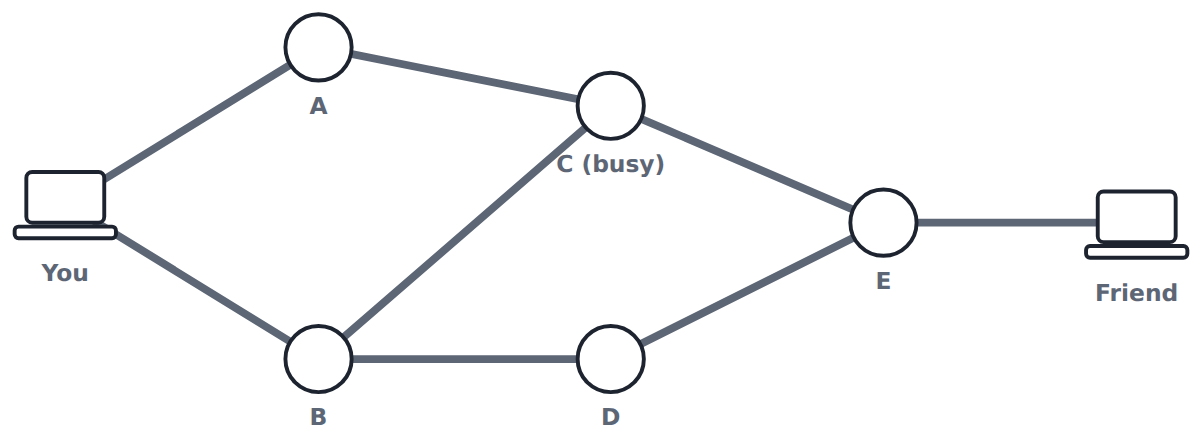
Data is sent in small packets. Each carries a piece of the data, a number and an address. Routers pass each packet on, so packets can take different routes, arrive out of order or get lost at a busy router.

Without numbers, the receiver can only join the pieces in the order they arrive. With numbers it can put them in order and see which is missing. The TCP protocol has the receiver confirm (acknowledge) each packet; any packet that isn't confirmed is sent again.

A message on its way to Ali: numbered packets, six routers and more than one route.
Sending in packets · Sound on for the voiceover
Open the lesson →

Keeping it safe

3. Who can see your data?

Try firstWhy should a password be encrypted before it is sent? Encrypt CAB with key 2.

Check your answer

Packets pass through equipment other people control, so anyone on the path could copy plain text. CAB → ECD.

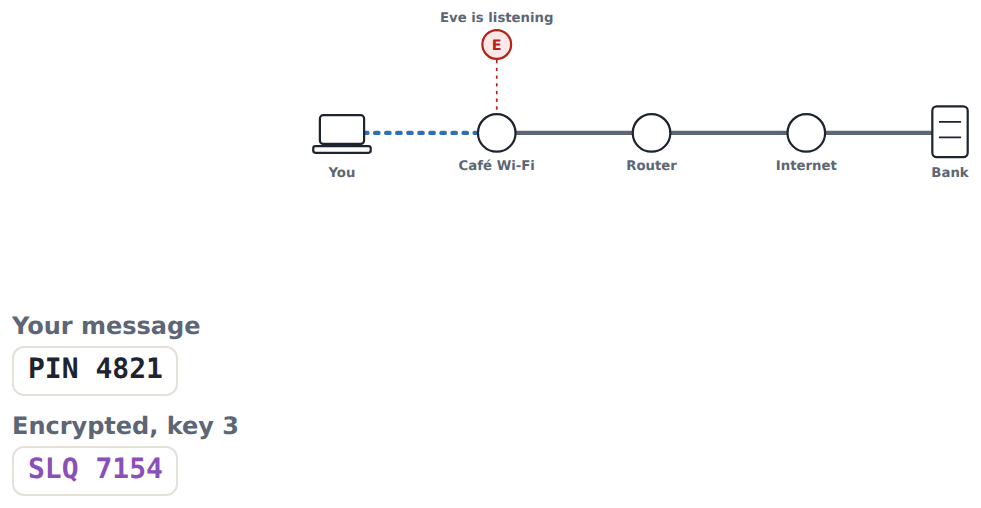
Packets pass through Wi-Fi, routers and networks you don't control, and anyone along the way can copy them. So private data must be encrypted on your device before it leaves: scrambled using a key. Only someone with the key can decrypt it, by reversing the steps.

Encryption must be reversible, or the receiver couldn't read it either. A weak key (one of only a few, or one that changes nothing) can be broken by trying them all.

With encryption on, Eve on the café Wi-Fi copies only scrambled text; the bank, which knows the key, turns it back into the PIN.
Plain or encrypted · Sound on for the voiceover
Open the lesson →

4. Across the internet

Try firstDescribe the journey of a password from your phone to a website in four steps, naming where encryption, packets and TCP each come in.

Check your answer

Encrypted on the phone (HTTPS); split into packets; sent over wireless then wired links through routers, with TCP resending lost packets; put back in order and decrypted by the website.

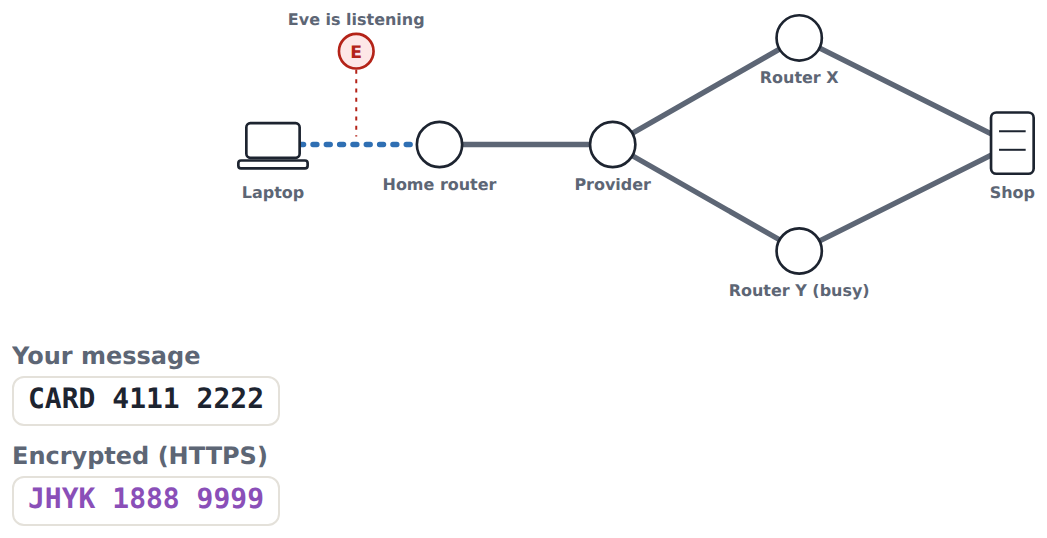
Buying something online uses everything at once. Your browser encrypts the data (HTTPS) on your device; it is split into numbered packets; the packets cross Wi-Fi (wireless) to your router, then cables and fibre (wired); routers pass them on by different routes; TCP has any lost packet sent again; and the shop puts them back in order and decrypts them.

Nobody on the way can read the card number, and nothing is lost, even though the trip crosses equipment owned by many different people.

The journey of a purchase: Wi-Fi (wireless) to the home router, fibre (wired) to the provider, then routers to the shop. HTTPS keeps it encrypted the whole way.
One purchase, start to finish · Sound on for the voiceover
Open the lesson →

Network capture the flag

5. Network capture the flag

Try firstWhy do packets carry numbers? Give two reasons.

Check your answer

So the receiver can put them back in order, and so it can tell which one is missing and ask for just that one (TCP).

In a capture the flag, you look for what a system gives away, with permission, and fix what you find.

  • Data sent without encryption can be read by anyone who captures it; HTTPS protects it all the way.
  • Packet numbers put a message back in order and show which packet is missing, so TCP asks for just that one.
  • Routers send packets round busy or broken parts of the network.
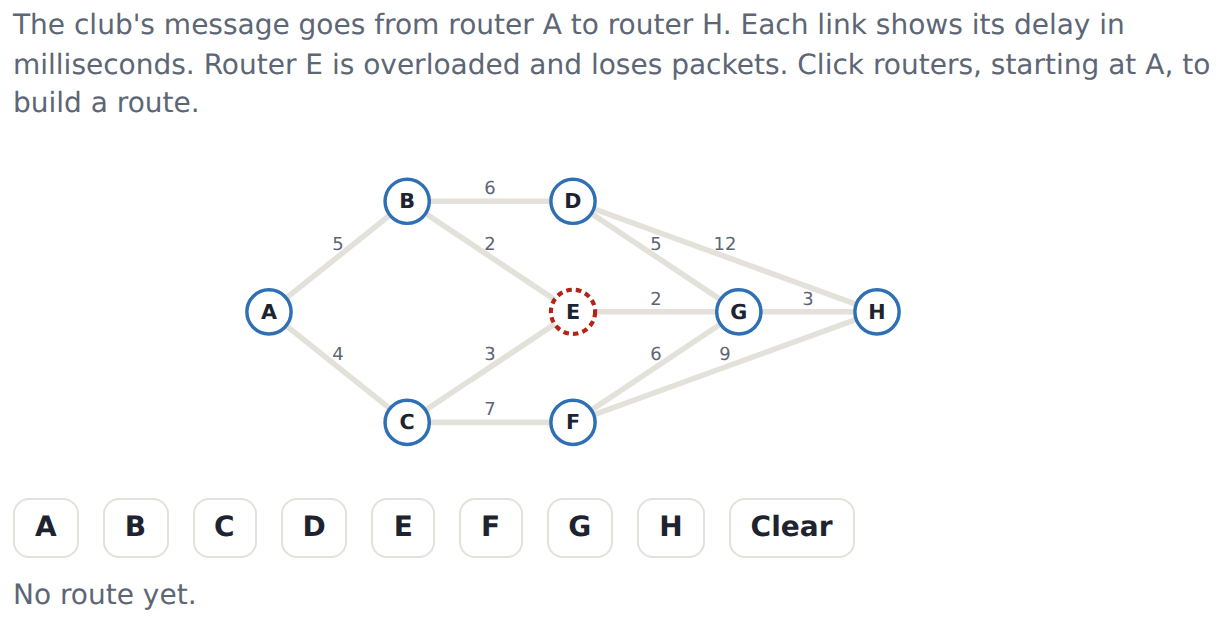
Eight routers from A to H, with each link's delay in milliseconds. Router E is overloaded and loses packets.
Build a route · Sound on for the voiceover
Open the lesson →