← Inside a computer

Inside a computer: recap

For after the lessons: one card per lesson, to check what you remember. Answer each question in your head or on paper first, then check it. Nothing here is marked.

Specs and speed

1. What the specs mean

Try firstName three specs and say what each one measures.

Check your answer

For example: RAM, how much it can work on at once; storage, how much it keeps with the power off; processor GHz, how fast each core works; network Mb/s, how fast data arrives.

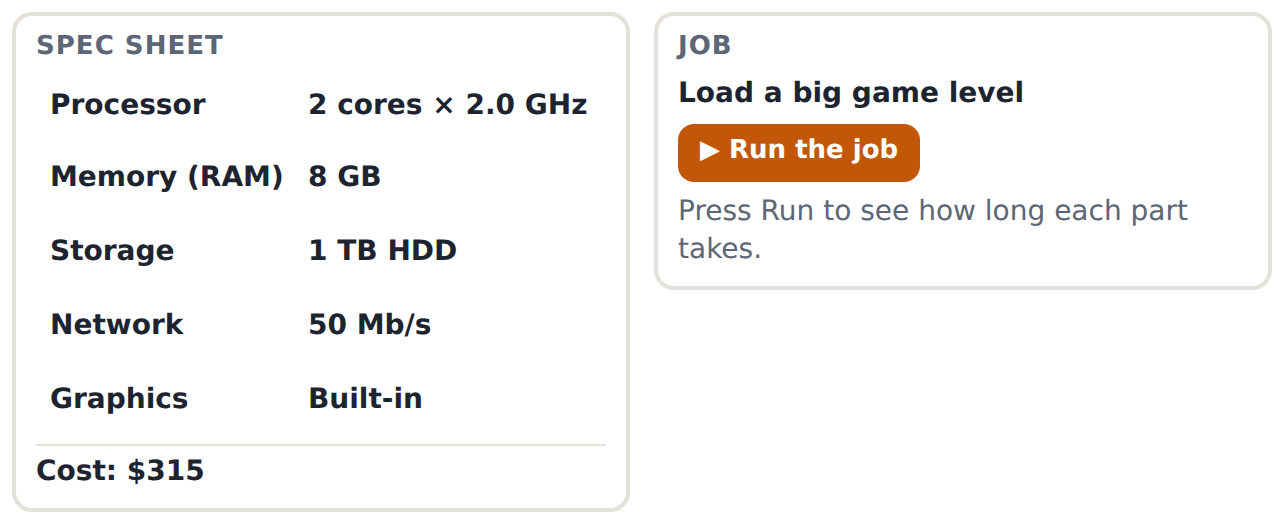
A spec sheet lists how much of each part a computer has.

  • Processor: how fast it works (GHz) and how many things at once (cores).
  • RAM: how much it can work on at once. It empties when the power goes off.
  • Storage: how much it keeps (GB, TB) and how fast it reads it (SSD fast, HDD slow).
  • Network: how much data can arrive each second (Mb/s).
  • Graphics card: many small processors doing simple sums at once (games, AI).

RAM and storage are both sometimes called "memory", but they are different parts.
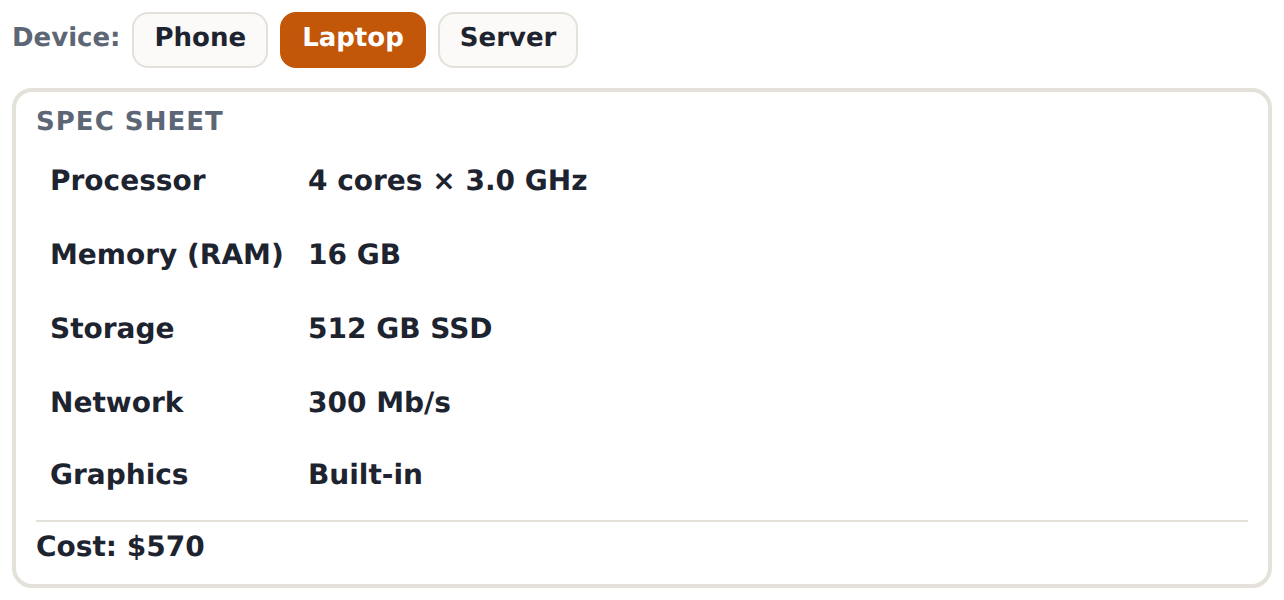
A spec sheet: processor, RAM, storage, network and graphics, for a phone, a laptop or a server.
What each spec measures · Sound on for the voiceover
Open the lesson →

2. Find the bottleneck

Try firstA laptop with 8 GB of RAM gets slow with many tabs open. Name the bottleneck and the best upgrade, and say why a faster processor won't fix it.

Check your answer

RAM is the bottleneck: it runs out and swaps to storage. More RAM stops the swapping. A faster processor only speeds the part that wasn't slow.

A job uses several parts, and the slowest one, the bottleneck, decides how long you wait.

  • Many tabs or apps at once: RAM (too little, and it swaps to storage).
  • Loading and starting up: storage speed (an SSD, not a bigger disk).
  • Downloads and video calls: the network.
  • Exporting video: the processor (cores and GHz).
  • Training AI: a graphics card.

Upgrade the bottleneck; upgrading anything else barely helps.

Each part's time for a job: the longest bar is the bottleneck.
Find the bottleneck · Sound on for the voiceover
Open the lesson →

3. Choose the hardware

Try firstTwo laptops cost the same. One has more RAM, the other a faster processor. Which would you choose for a student who keeps many tabs open, and why?

Check your answer

The one with more RAM: many tabs need working space, and too little RAM swaps to storage. The faster processor wouldn't fix that.

There's no best computer, only the best one for a job.

  1. What does the job need? (cores, RAM, storage speed, network, graphics)
  2. Compare the options on that.
  3. Weigh the trade-offs: what each option is short of, and what it has that the job can't use.
  4. Justify: "I chose ___ because the job's bottleneck is ___."

Spend the budget on the bottleneck, not on the biggest numbers.

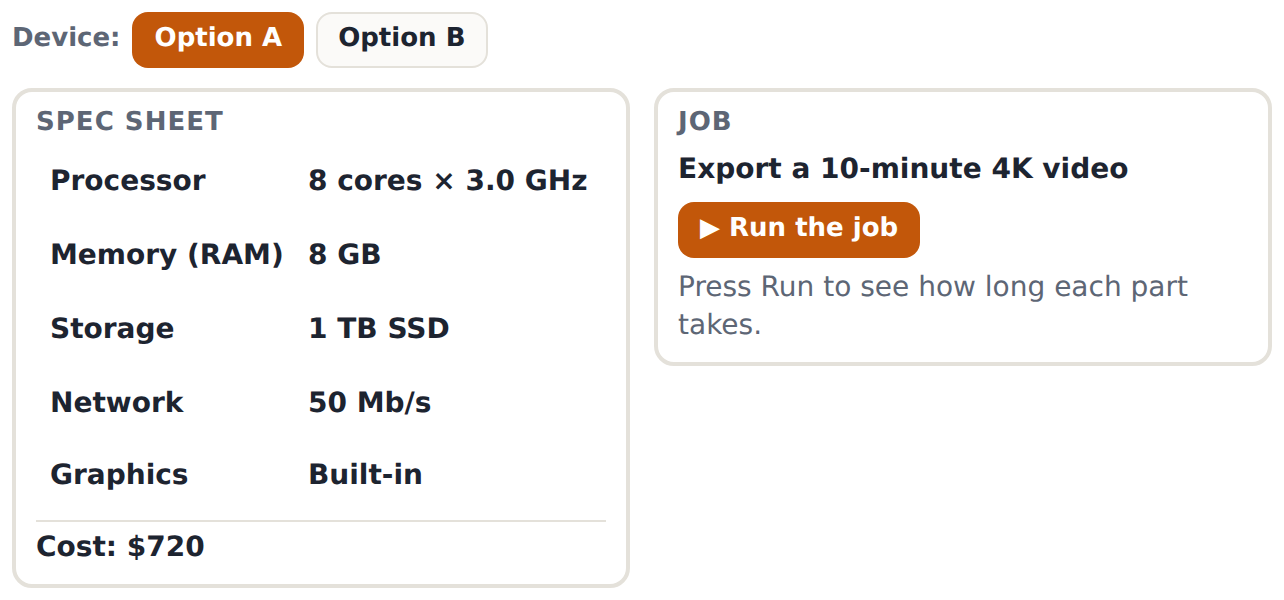
Two options for video editing: compare them on the job, not on the biggest numbers.
Choosing for the job · Sound on for the voiceover
Open the lesson →